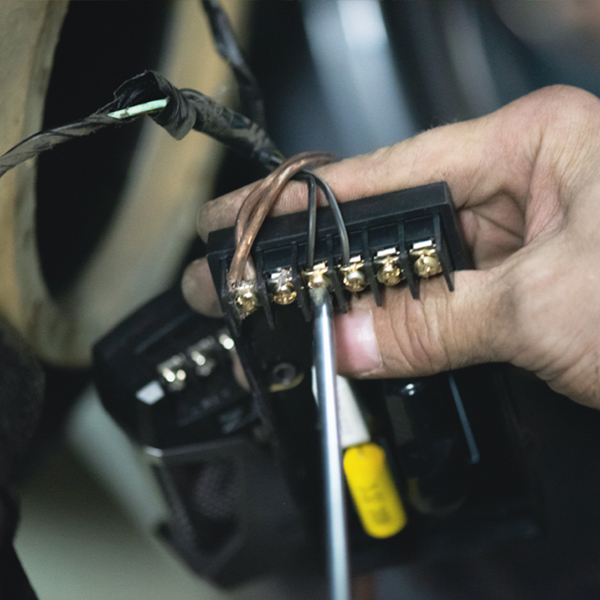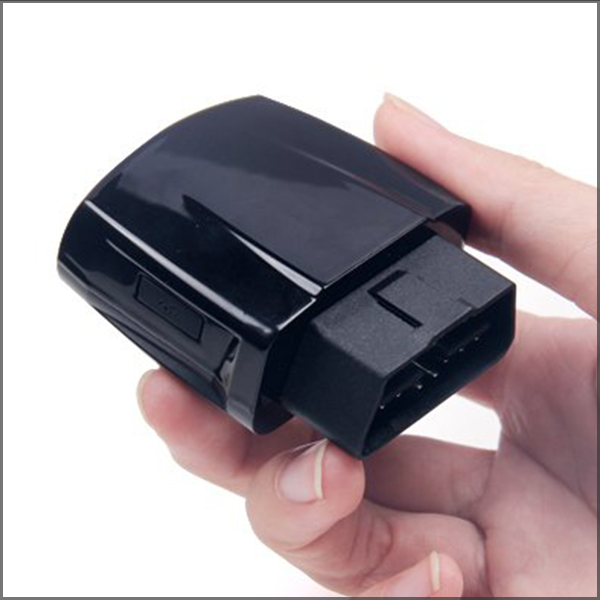
The number one way to eliminate issues with vehicle electronics is to have a good install. The poke and wrap technique (PWT) is the industry preferred method of connecting GPS vehicle tracking systems to a vehicles wiring harness. It can be used to connect just about any electronic component but generally going to be used on commercial service and delivery vehicles with a high turnover rate. Installation of custom sound, audio, video or satellite radio is best done by soldering all connections. The PWT technique ensures a constant and secure connection for the life of the vehicles while still offering a fairly quick removal.
Plastic connectors (t-taps, scotch locks, etc) may work lose over time, can be easily disconnected by an employee (intentionally or unintentionally) or may never provide a good connection from the start. Splice style connectors are often not used correctly and therefore do not work correctly. People will often use a connector designed for a 14 gauge wire on an 18 gauge wire. An even worse scenario is when someone tries to connect an 18 gauge wire to a 16 gauge wire with a connector which is designed for 14 gauge wire.
![]()
The PWT eliminates a couple of these key issues and does not add a significant amount of time to the installation with the right tools. As with all installations, a little more time on the initial installation will reduce your time spent making free service calls. Customer satisfaction is a time and money saver. What the mobile installation industry does not need is a bunch of installation cowboys doing marginal work. This technique is an excellent choice when soldering is not practical or desired because a unit may need to be moved at a later time and time is a factor in a mobile installation situation. Once the technique is understood and mastered it becomes second nature and 3 months from now you are 100% confident that the connection didn’t come loose. The other benefit of the PWT is that it does not matter what size wires you are connecting. You can connect the same size wires or different size wires and get consistent quality and semi-permanent connections.
There are only a few standard tools that are needed for this technique. Which tools you use will depend on personal preference, the wire size you are trying to connect to and the amount of room you have to work with. Most GPS vehicle tracking systems are installed under the dash around the steering column.

Note: Every vehicle is different and you must ensure your work will not create a dangerous situation by impacting the vehicles safety system, creating a short circuit, computer system or voiding a warranty. If you do not know which wires to connect to, consult the manufacturers wiring diagram or another professional. A great source for vehicle wiring tips is www.bulldogsecurity.com.
How to make a basic connection
Step 1
Strip away 1/2 inch to ¾ inch of the plastic insulation on the wire you are connecting to in the middle of the wire and about 1 inch to 1 1/2 inch of wire on the wire coming from your electronic device.
There are a couple of techniques for doing this. You can use the automatic strippers shown above if you have room and you are not in danger of bumping the pliers against a metal object and creating a short circuit which will blow a fuse. Automatic strippers are not good for use on 18 and 20 gauge wires because they have a tendency to break the wire. Automatic strippers are fast and easy when the situation permits.
You can use standard wire strippers as well by simply scribing the insulation on one end and push the insulation up the wire. There is generally enough flexibility in the insulation to expose the needed bare wire. If you cannot get enough bare wire exposed, use standard wire strippers to scribe the insulation all the way around the wire on either end of the section you want to expose. Then remove the insulation in the middle by cutting the insulation away with a razor knife.
Step 2
Take a pointed object (test light, nail, pencil) and poke it into the wire you want to connect to on the vehicle wiring harness. Evenly divide the wires to create a loop.
Step 3
Insert the end of the bare wire from your electronic device being careful not to create a short circuit by bumping a metal object in the area. Push the wire to one end of the loop in preparation for wrapping.
Step 4
Squeeze the loop closed to provide a better contact. Wrap the inserted wire around both sides of the loop causing it to tightly collapse on the inserted wire. Neatly wrap the exposed wires around the loop starting at one end until you run out of wire. A neatly wrapped connection will provide many contact points.
Step 5
Using a piece of electrical tape, wrap the connection and ½” of insulation on either side of the exposed wires.
Step 6
Place a zip tie around the section where the bare wires are located under the electrical tape. This is important because electrical tape will come undone with heat and it is firmly holds the all bare wires together. The size of the zip tie needed depends on the size of the connection. A slightly wider zip tie offers more long term security.